
Loop Engineering: the future of how we work with code agents

Last updated: July 6, 2026

Addy Osmani, Director of Google Cloud AI, explains why manual prompting is dead and how to design systems that work on their own.

2026-06-09
Loop Engineering: The Future of Code Agents

What is Loop Engineering?

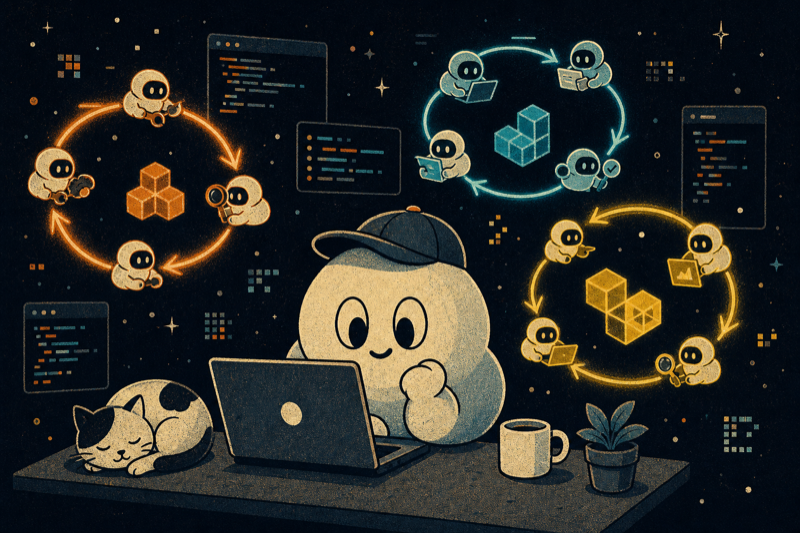
Loop Engineering — also known as loops engineering — is the design of autonomous systems that discover work, dispatch it to code agents, verify the results and document everything — without human intervention at every step. In essence, loop engineering — what it is and how it works — replaces manual prompting with an autonomous system that discovers, executes and verifies work. Instead of writing manual prompts turn after turn, you build a loop that runs in the background and keeps the rhythm on its own. It's the difference between operating the machine and designing the factory.

The term was coined by Peter Steinberger (@steipete), creator of Hermes Agent, and deepened by Boris Cherny (@bcherny), head of Claude Code at Anthropic. I explored both visions in detail and why they matter here (in Spanish).

A well-designed loop combines five building blocks: automations, worktrees, skills, connectors and sub-agents — plus an external memory that survives between runs. What follows is how each one works.

The paradigm shift

Two years ago, the way to get anything out of a code agent was to write a good prompt and share enough context. Today the pendulum has swung toward the agentic model: instead of guiding the agent step by step, you design a loop that guides it for you. You write something, you read what it returns, you write the next thing. The agent is a tool and you're holding it the entire time, turn after turn. That stage is over — or at least some people think it's about to be.

@steipete said recently: "You shouldn't be prompting code agents anymore. You should be designing loops that prompt your agents." And @bcherny, head of Claude Code at Anthropic, went further: "I don't prompt Claude anymore. I have loops running that prompt Claude and decide what to do. My job is to write loops."

Now you build a small system that finds the work, distributes it, verifies it, documents what's done and then decides the next step. You let that system knock on the agents instead of doing it yourself.

I've written before about its cousin: agent harness engineering, which is building the environment where a single agent runs, and the factory model, the system that builds the software. Loop Engineering sits one floor above the harness. The harness but running on a timer, generating little helpers, and feeding itself.

What surprised me is that this is no longer a matter of tooling. A year ago, if you wanted a loop you'd write a pile of bash and maintain that pile forever, and it was yours and yours alone. Now the pieces come inside the products. Steinberger's list maps almost exactly onto the Codex app, and almost identically onto Claude Code. And once you notice the shape is the same, you stop arguing about which tool and simply design a loop that works no matter which one you're sitting in.

The five building blocks (and the memory)

A loop needs five things and a place to remember:

  1. Automations — they fire on a schedule and do discovery and triage on their own.
  2. Worktrees — so two agents working in parallel don't step on each other.
  3. Skills — to write down the project knowledge the agent would otherwise guess.
  4. Plugins and connectors — to plug the agent into the tools you already use.
  5. Sub-agents — so one has the idea and a different one verifies it.

And then the sixth thing: the memory. A markdown file, a Linear board, anything that lives outside the individual conversation and keeps track of what's done and what's next. It sounds too dumb to matter. But it's the same trick every long-running agent depends on: the model forgets everything between runs, so the memory has to be on disk, not in the context. The agent forgets, the repo doesn't.

Both products already have all five.

1. Automations: the heartbeat of the loop

Automations are what make a loop an actual loop and not a run you did once.

In the Codex app you create one in the Automations tab: you pick the project, the prompt that will run, how often, and whether it runs on your local checkout or in a background worktree. Runs that find something go into a Triage inbox, and the ones that find nothing simply archive themselves — which is a nice touch. OpenAI uses them internally for boring things like daily issue triage, summarizing CI failures, writing commit briefings, hunting bugs someone added last week. And an automation can call a skill, so you keep the recurring task maintainable: you fire $skill-name instead of pasting a wall of instructions into a schedule nobody will ever update.

Claude Code gets to the same place but through scheduling and hooks. You can run a prompt or a command on an interval with /loop, you can schedule a cron task, you can fire shell commands at certain points of the agent's lifecycle with hooks, or you can push it all to GitHub Actions if you want it to keep running after you close the laptop. Exactly the same idea: you define an autonomous task, give it a cadence, and the findings come to you instead of you going to check on them.

There's a second in-session primitive worth knowing, and it's the one closest to what this article is about. /loop re-runs on a cadence. /goal keeps going until a condition you wrote is actually true, and after each turn a separate small model checks whether you're done — so the agent that wrote the code isn't the one that evaluates it. You give it something like "all tests in test/auth pass and the lint is clean" and you walk away. Codex has the same, also called /goal, it keeps working between turns until a verifiable stop condition is met, with pause, resume and clear.

This is the part that surfaces the work. The rest of the loop is what acts on it.

2. Worktrees: so parallelism isn't chaos

The second you run more than one agent, files start to collide. That's the failure point. Two agents writing the same file is exactly the same headache as two engineers committing to the same lines without talking first. A git worktree solves it: it's a separate working directory on its own branch, sharing the repo's history, so one agent's edits literally can't touch the other's checkout.

Codex builds worktree support in directly so several threads hit the same repo at the same time without colliding. Claude Code gives you the same isolation with git worktree: a --worktree flag to open a session in its own checkout, and an isolation: worktree setting you put on a sub-agent so each helper gets a fresh checkout that cleans itself up afterward. I've written about the human side of this in the orchestration tax: worktrees eliminate the mechanical collision but YOU are still the ceiling — your review bandwidth decides how many you can actually run, not the tool.

3. Skills: to stop explaining your project every time

A skill is how you stop re-explaining the same project context in every session like a goldfish. Both tools use the same format: a folder with a SKILL.md inside that holds instructions and metadata, and then optional scripts, references, assets.

Codex runs a skill when you call it with $ or /skills, or only when your task matches the skill's description — which is why a tight, boring description beats a clever one. Claude Code does it the same way.

Skills are also where intent stops costing you over and over. I argued in the concept of intent debt that an agent starts each session cold and will fill any hole in your intent with a confident assumption. A skill is that intent written down externally: the conventions, the build steps, the "we don't do it this way because of that incident," written once where the agent reads it every run. Without skills, the loop re-derives your entire project from scratch on every cycle. With skills, it somehow compounds.

One thing to be clear about: the skill is the authoring format, and a plugin is how you distribute it. When you want to share a skill across repos or bundle several together, you package them as a plugin. It works in Codex, it works in Claude Code.

4. Plugins and connectors: the loop touches your real tools

A loop that can only see the filesystem is a small loop. Connectors, which are built on top of MCP, let the agent read your issue tracker, query a database, hit a staging API, drop a message in Slack. Codex and Claude Code both speak MCP, so the connector you wrote for one generally works in the other. And plugins bundle connectors and skills together so your teammate installs your setup in one shot instead of rebuilding everything from memory.

This is the difference between an agent that says "here's the fix" and a loop that opens the PR, links the Linear ticket and pings the channel when CI is green, all on its own. Connectors are the reason the loop can act inside your real environment instead of just telling you what it would do if it could.

5. Sub-agents: separating the doer from the verifier

The most structurally useful thing in a loop, by far, is separating the writer from the reviewer. The model that wrote the code is too good at grading its own work. A second agent with different instructions — and sometimes a different model — catches the things the first one talked itself into.

Codex only spawns sub-agents when you ask it to, runs them at the same time and then folds the results into a single response. You define your own agents as TOML files in .codex/agents/, each with a name, description, instructions and optional model and reasoning effort — so your security reviewer can be a strong model at high effort while your explorer is something fast and read-only. Claude Code does the same with sub-agents in .claude/agents/ and teams of agents that hand work off to each other.

The usual split in both is: one agent explores, one implements, one verifies against the spec. I've made this case twice already, once as the code agent orchestra and once as adversarial code review. The reason this matters specifically inside a loop is that the loop runs while you're not watching — so a verifier you actually trust is the only reason you can walk away. Sub-agents do burn more tokens since each does its own model and tool work, so spend them where a second opinion is worth paying for.

This is basically what Claude Code's /goal does underneath: a fresh model decides whether the loop is done instead of the one that did the work — the maker-checker split applied to the stop condition itself.

What a complete loop looks like

Put it all together and a single thread turns into a small control panel. This is one shape I've been using.

An automation runs every morning over the repo. Its prompt calls a triage skill that reads yesterday's CI failures, the open issues, the recent commits, and writes the findings into a markdown file or a Linear board. For each finding worth acting on, the thread opens an isolated worktree and sends a sub-agent to draft the fix, and a second sub-agent reviews that draft against the project's skills and existing tests.

Connectors let the loop open the PR and update the ticket. What the loop can't handle lands in the triage inbox for me. The state file is the backbone of everything: it remembers what was tried, what happened, what's still open — so tomorrow morning the run picks up where today's left off.

And look at what you actually did there. You designed it once. You didn't prompt any of those steps. That's Steinberger's whole point made real. And it's the same loop in Codex or in Claude Code because the pieces are the same.

What the loop still doesn't do for you

The loop changes the work. It doesn't remove you from the work. And three problems get sharper as the loop gets better, not easier.

Verification is still yours. A loop running unsupervised is also a loop making mistakes unsupervised. The entire reason for separating the verifying sub-agent from the doer is so the loop's "it's done" means something — and even then "done" is a claim, not a proof. I keep saying the same line about code review in the AI era: your job is to ship code you've confirmed works.

Your comprehension rots if you let it. The faster the loop ships code you didn't write, the wider the gap between what exists and what you actually understand. That's comprehension debt, and a smooth loop only makes it grow faster — unless you read what the loop produced.

And yes, the comfortable stance is probably the risky one. When the loop runs on its own, it's very tempting to stop having an opinion and just accept what it returns. I called that cognitive surrender. Designing the loop is the cure when you do it with judgment — and the accelerant when you do it to avoid thinking. Same action, opposite result.

Build the loop. Stay the engineer.

I think this is a preview of how our work is going to evolve. That said, if I didn't review the code myself or if I depended entirely on automated loops to fix it, the quality of my product would suffer. I'd probably end up trapped in a downward spiral, digging myself an ever-deeper hole.

Build your loops. But don't forget that prompting your agents directly is still effective. It's about finding the right balance.

Loops can also give different results depending on who uses them. Two people can build the exact same loop and get completely opposite results. One uses it to move faster on work they understand deeply. The other uses it to avoid understanding the work at all. The loop doesn't know the difference. You do.

That's what makes loop design harder than prompt engineering, not easier. I wrote the counterpart to this article here (in Spanish), exploring the Steinberger vs Cherny tension. Cherny's point isn't that the work got easier. It's that the leverage point moved.

Build the loop. But build it as someone who plans to stay the engineer, not just the person who presses "go."

— Ariel Di Stefano

You might also like

Frequently Asked Questions

What is Loop Engineering?

Loop Engineering is a paradigm for working with code agents where, instead of giving manual instructions (prompt engineering), you design autonomous systems that discover pending work, dispatch it to sub-agents, verify the results and document the whole process. The human shifts from operator to architect of the loop.

How is it different from prompt engineering?

Prompt engineering depends on a human writing the right instruction every time. Loop Engineering replaces that with scheduled automations (the agent's internal cron jobs), worktrees for parallelism, reusable skills and verifying sub-agents. It's the difference between giving orders one by one and designing a factory that works on its own.

What are the 5 building blocks of Loop Engineering?

1) Automations — recurring tasks that run on their own, 2) Worktrees — isolated work branches for parallelism, 3) Skills — packaged, reusable instructions, 4) Plugins and connectors — integration with real tools (GitHub, Slack, APIs), 5) Sub-agents — specialized agents that execute and verify tasks.

What tools use Loop Engineering today?

OpenAI Codex CLI (code agent with native automations), Hermes Agent (by Nous Research, the most advanced at autonomous loops), and Claude Code (Anthropic, integrated with the development ecosystem). Each implements the 5 building blocks with variations.